

Full Review: ACDSee Photo Studio Ultimate 2027
Full Review: ACDSee Photo Studio Ultimate 2027

The latest version of ACDSee’s popular Photo Studio Ultimate software package introduces a series of upgrades, including a new suite of Generative AI Tools alongside expanded AI-powered Digital Asset Management functions. Amy-Leigh Atkins takes a closer look at what’s on offer.
WORDS & IMAGES: AMY-LEIGH ATKINS
ALREADY ONE OF the most popular software packages on the market, the 2027 upgrade of ACDSee’s Photo Studio Ultimate comes packed with some very swish new AI-powered tools that are designed to give photographers greater control over their images and data. Already marketed as a package that can serve as an all-in-one professional photo editing suite, offering strong DAM credentials as well as non-destructive RAW image editing, the latest edition takes things further by adding a selection of useful AI-enabled features that should serve to make the life of the professional creative just that little bit simpler.
What’s on offer
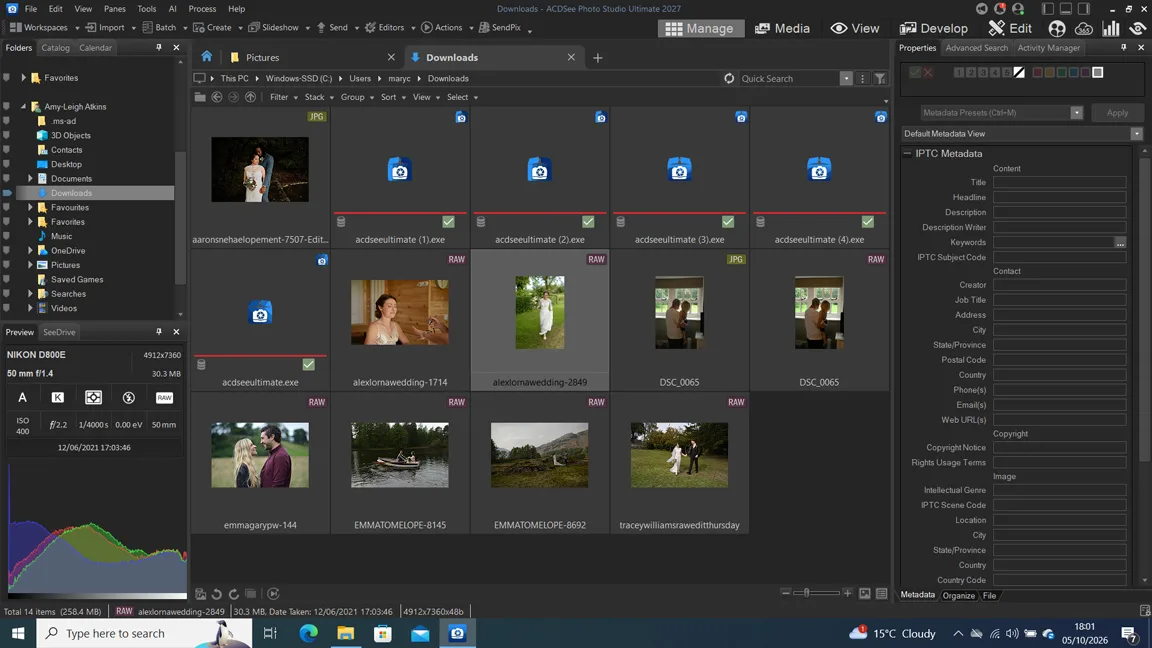
Those upgrading might be relieved to hear that ACDSee has kept things simple when it comes to Photo Studio Ultimate’s user interface, which hasn’t been changed too much and remains intuitive for anyone familiar with photo editing software. Fairly subtle tweaks have helped to make it all a little less clunky, enabling users to get where they want to be in a speedier manner, something many will appreciate.


“I asked it to add a castle in the background, and the result was impressive.”
The new 2027 version of Photo Ultimate is a veritable Gen AI powerhouse, with four dedicated tools, namely AI Image Generation, Generative Fill, Generative Edit and AI Remove. The first of these allows you to create entirely new images using text prompts, preset effects or reference images to guide the style, composition and appearance of the end result.
Generative Fill meanwhile allows empty or missing areas of a photograph to be filled with generated content, helping to create a more complete and refined composition. Moving on to Generative Edit, here you can describe the changes you want in simple terms or use reference images to guide the edit in the way you want it to go. Finally, AI Remove gives you the means to remove unwanted objects or people from within your images.
All of these tools perform as expected, although I have to say that Generative Edit, and its ability to be photorealistic as per the prompt I gave it, was surprisingly effective.
“I asked it to add a castle in the background, and the result was impressive.”
Managing your files
Digital Asset Management within Photo Studio Ultimate gets a major update with AI powered tools. AI Group Similarities automatically detects and groups similar images, while Auto-Stacking allows images to be stacked, creating more controlled space within a library or catalogue of images. Auto stacking can also stack images by GPS/location-captured data, capture time and similar compositions, along with many further attributes.
The AI Group Similarities tool works very well and is speedy with its selection. I confess to being quite impressed by this, and it would certainly be of benefit during the culling process, enabling a clutter free library to be created for all users. For me, however, AI Reverse Image Search is the standout addition: rather than relying entirely on filenames, keywords or manually entered metadata to find images, this automatically locates visually similar photographs by selecting an image as the reference. It performs this task really well, only showing relatable images as expected.
I’ve never used a tool like this before, but this would massively help at times when you might need to find specific content or a particular subject within an image. It was super impressive to search in such a speedy and effortless way, rather than having to manually hunt for ages to find what you were after. Finally DAM now has a Reject Tag to group together all of your culled images, and you can return later to delete those you don’t want at the click of a button, making this a much quicker process than filtering, selecting all and then deleting. The focus is definitely on speed and efficiency for users here and it shows, and all of these DAM improvements are very welcome.


Existing tools
Existing tools within Photo Studio Ultimate have also had a makeover. AI Face Edit has benefitted from enhanced tools, which include adjustments for eyes, eyebrows, skin, hair and lips. This includes the ability to change the colour of all of these features, while controlling shadows and highlights to darken or lighten areas for more refinement.
Controls for facial features also allow more contouring to the nose, mouth, jawline and cheekbones. With all of these adjustments there are ways to control the amount applied, which leaves the end result feeling intentional and polished rather than fake or obviously retouched. I tested out this feature by changing the colour of a subject’s hair.
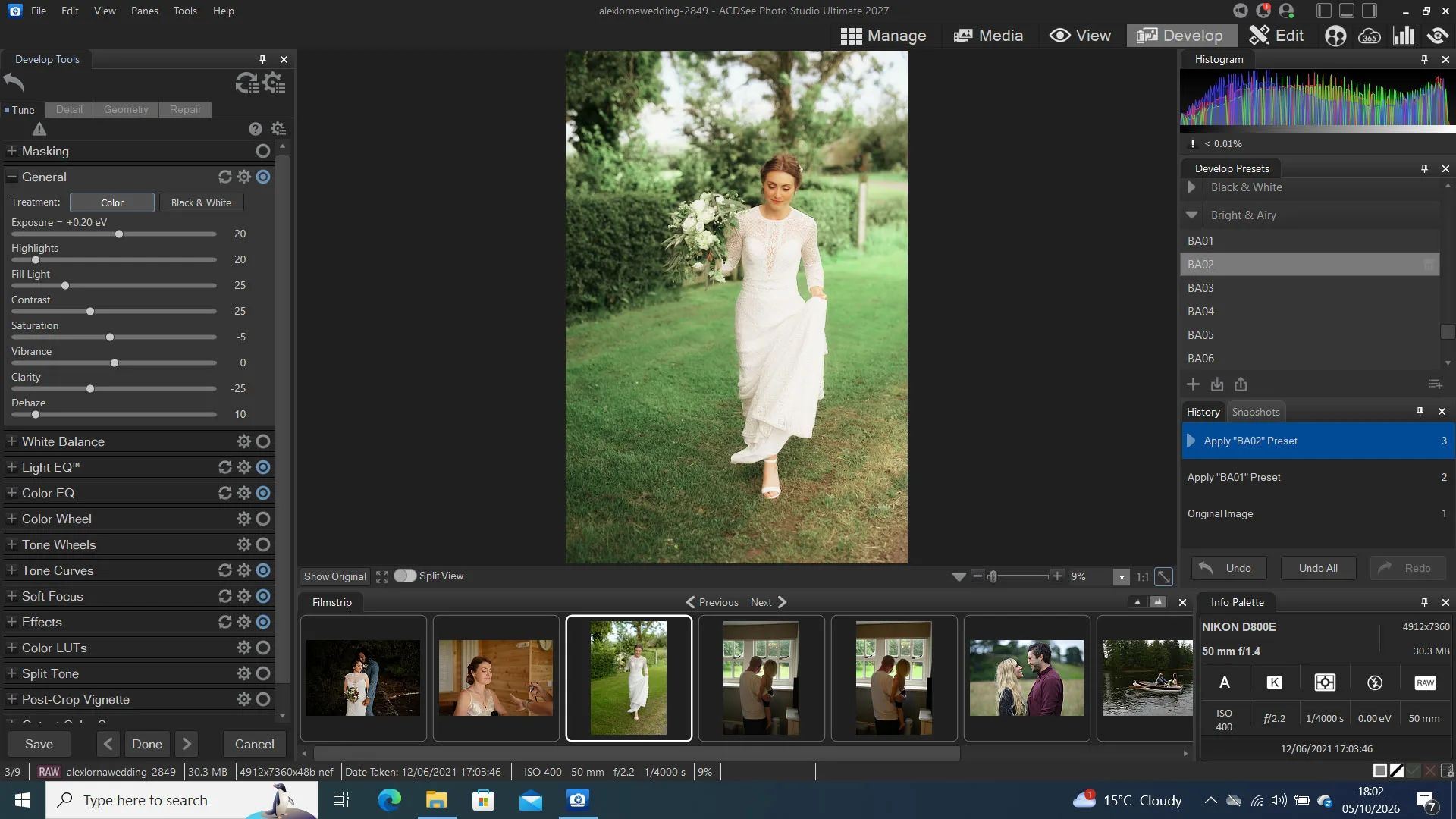
The editing tools are enhanced by four new categories of presets spanning different styles: Architecture, Bright & Airy, Cinematic and Dark & Moody. Each of these has multiple new prebuilt styles that are available as a one-click for users to try, and this offers a range of differing looks that could be used as a starting point for an edit, with the potential to then customise the result until you achieve what you want.
You can also save any presets you make yourself for future use, including presets for export settings, library and DAM processes, which means that, once you’ve established something you like, it’s then available as a one-click going forward. The whole process is very efficient and effortless, and I used one of the light and airy presets on this image.
AI precautions
AI and privacy is considered carefully by ACDSee, and I felt it was worth highlighting their approach as I know there is a heightened awareness of the dangers of using AI at the editing stage, and a need to know how data/images are being used. Reassuringly, all of the AI powered tools, including AI Keywords, facial recognition, AI Image Similarity and AI masking, process images locally on the computer. The new generative AI tools use a cloud-based process, with ACDSee stating that prompts and images are encrypted in transit and then deleted from its servers after seven days.
This distinction is worth understanding, particularly for photographers working with private or commercially sensitive images. In situations such as this, using software that is actively safeguarding privacy as a priority is a must, and it’s something we should all be aware of. Brownie points from me to ACDSee on that one!
In terms of pricing, Photo Studio Ultimate 2027 is available both as a subscription model with a monthly fee of $9.99, annual $99.99, while you can also buy a licensed standalone version for $179.99. The AI tools cost credits, and credits come in three packages – 20,000, 50,000 and 100,000. For those unfamiliar with the software there’s also a free trial available from the product home page.
Verdict
 In summary, ACDSee Photo Studio Ultimate 2027 is an all-in-one suite that’s designed to bring your entire photo workflow into one place, covering everything from file management, through to editing, more detailed non-destructive RAW layered editing and tasks such as advanced retouching, which can be carried out using AI powered tools.
In truth there seriously isn’t too much that Photo Studio Ultimate can’t do, and the latest updates simply make what was already a formidable software package better still. The priority throughout is to make the life of the end user as simple as possible, which is something I’m sure we can all appreciate.
The downside for some will be the fact that this is a software package only available for Windows users, so if you’re working on a Mac you’ll miss out. That stills leaves plenty of potential businesses that can benefit from what this package can deliver, and my advice would be to download the free trial and to take a look at what’s on offer for yourself. I have a strong feeling that you won’t be disappointed!
• Find out more about Photo Studio Ultimate 2027 here.
• Amy-Leigh Atkins runs Northern Presets Co, and you can join her Editing Hub community here.
Professional Photo Online Issue 249 November 2026

Book Review: America the Beautiful
Celebrate a century of American history through the lens of some of the world’s finest photographers. Taschen’s spectacular new book, National Geographic: The United States of America, brings together more than 700 remarkable images from the magazine’s celebrated archives, capturing the people, places and events that have shaped the nation over the past 100 years. We take a closer look at this impressive photographic tribute.

Pro Lives: The Ultimate High Flier
Combining a lifelong passion for flying with 40 years of experience in photography, Paul Fearn has built an impressive career in aviation imagery. In 2019, he founded Piemags, which has grown into a global visual business representing more than three million images. Terry Hope talks to Paul about his journey, his passion for aviation photography and the story behind one of the world’s most fascinating image archives.
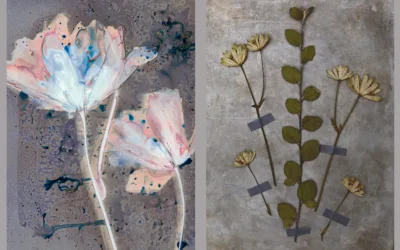
Pro Talk Books – Sharing the Flora
Karen Harvey MBE has long been obsessed with photography, and is determined to help others who similarly love the art to get into print and share their work. The latest volume published by her Shutter Hub collective focuses on plant life, and we caught up to find out more about how she’s working to support creative photographers worldwide.
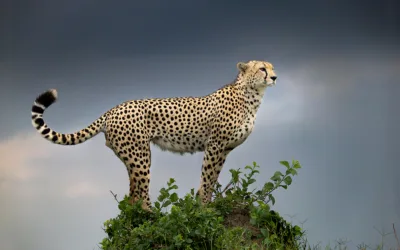
Pro Talk – Canon Lenses on Safari
When Michael O’Sullivan was planning an epic photographic safari to Kenya earlier this year, he needed to consider which lenses to travel with, and he settled on a selection of Canon optics, ranging from a wider 24-105mm through to long telephoto zooms and a prime 400mm f/2.8.
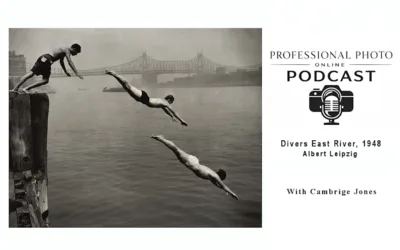
Pro Photo Podcast: Divers, East River 1948
This month’s classic image being discussed by Cambridge was shot by Arthur Leipzig, and depicts three young men diving into New York’s East River in the summer of 1948. Finely timed, it was one of the iconic shots featured in the Dulwich Art Gallery’s recent Portrait of a City Show.
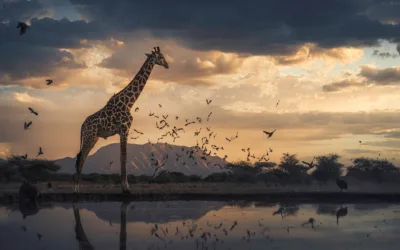
Pro Talk Books: Remembering Giraffes
The Remembering Wildlife series of books has raised huge amounts of money, along with the profile, of many of our most cherished species, and the latest volume celebrates the graceful giraffe through a series of exquisite images donated by some of the world’s greatest wildlife photographers.

Royal Navy Photographers – Life on the Front Line
It may come as a surprise to some to realise that each section of the UK Armed Forces maintains its own internal photographic branch, with a remit to cover everything from standard PR shots through to front line action. We caught up with the Royal Navy’s Photographic Specialisation to find out more.

Pro Talk – Richard Bradbury – Shooting a Supercar
If you were to conceive a dream assignment the chances are that it might include a hands-on session with a supercar, the opportunity to drive it around some of the most beautiful scenery in the world and a helicopter ride thrown in for good measure. Step forward Richard Bradbury, whose latest shoot sounds like the perfect weekend!

Pro Photo Podcast: Bill Biggart and 9/11
The poignant twenty-fifth anniversary of the September 11 bombings has just been marked, and Cambridge is looking at the dramatic images taken by American photographer Bill Biggart on that fateful day, and telling the story of how his instinct to get closer ultimately cost him his life.
© 2026, Professional Photo Online and associated copyright owners. . All rights reserved.


